WorksOnMine

Bug reported in 30 seconds.
Fixed before you get to ask.

The browser extension captures screenshot, URL and logs automatically. Developer gets everything at once — no email ping-pong, no questions about reproduction steps.

An AI agent analyzes submissions for you. Your developer works without interruptions.

🐛

Bug reporting

Screenshot, URL, console logs and HTTP requests — automatically. Zero email ping-pong.

QA before deployment

Step-by-step test scenarios. Pass/Fail. PM dashboard. Decisions based on facts.

💭

Ideas on the go

Voice note in the car, photo from your phone, link from the browser. AI agent sorts it for you.

Everything you need

Browser extension, mobile app and AI in one system — no scattered tools.

Browser Extension

Report a bug directly from the page. One click — automatically attaches screenshot, URL, console logs and HTTP requests.

Mobile App

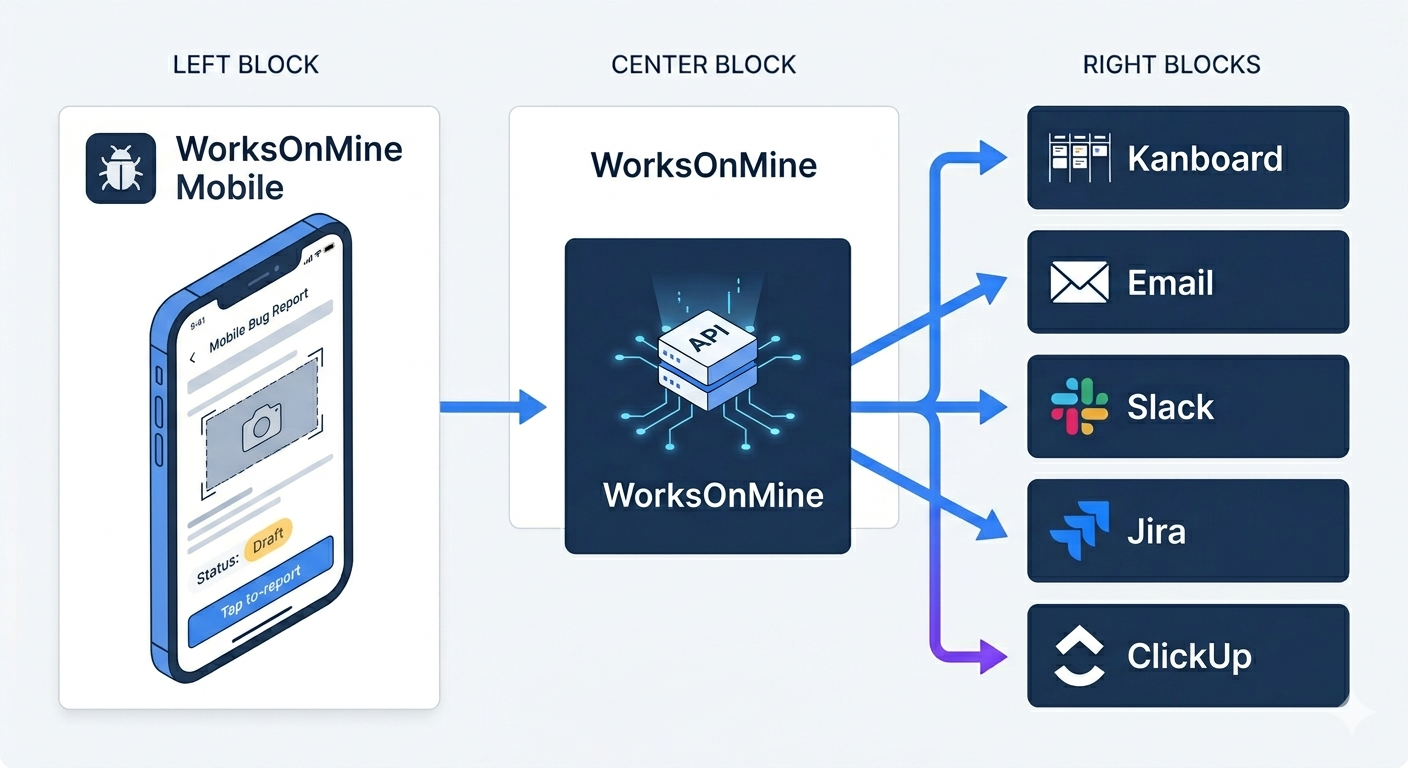
Record voice notes, take photos with GPS — from your phone, without a computer. Perfect for capturing ideas on the go.

AI Agent

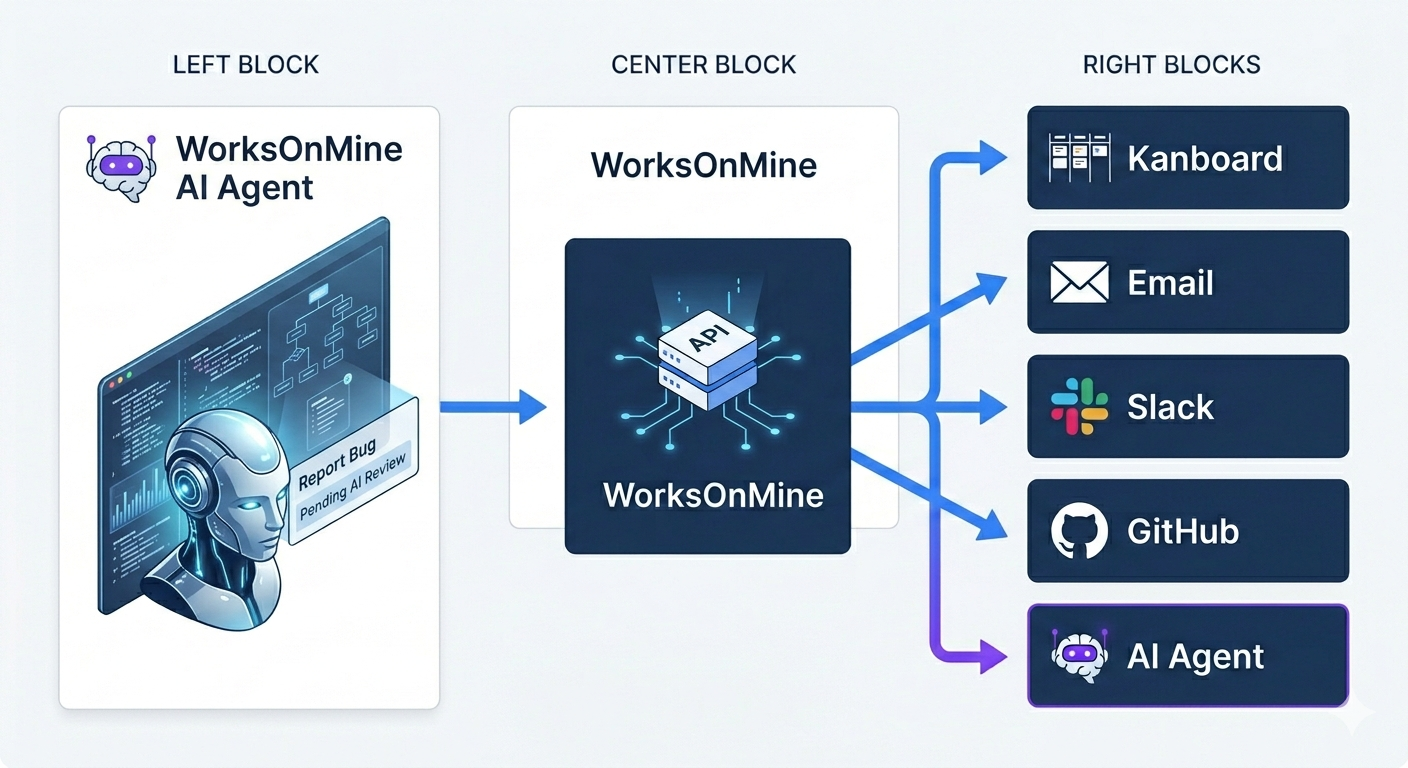
The AI agent fetches submissions and notes, categorizes them, delegates to the right people or acts immediately. At the end of the day — everything sorted.

Full Bug Context

Screenshot, URL, console logs and HTTP requests — automatically in every report. Developer gets everything at once, no questions asked.

QA Test Scenarios

PM creates a test scenario step by step. Testers mark Pass/Fail. Dashboard shows real-time results — deployment decision based on facts.

Network Activity

All HTTP requests, response codes and payloads — automatically captured in every report. API debugging without guessing.

How does it work?

Three paths, one system. Each role gets exactly what it needs.
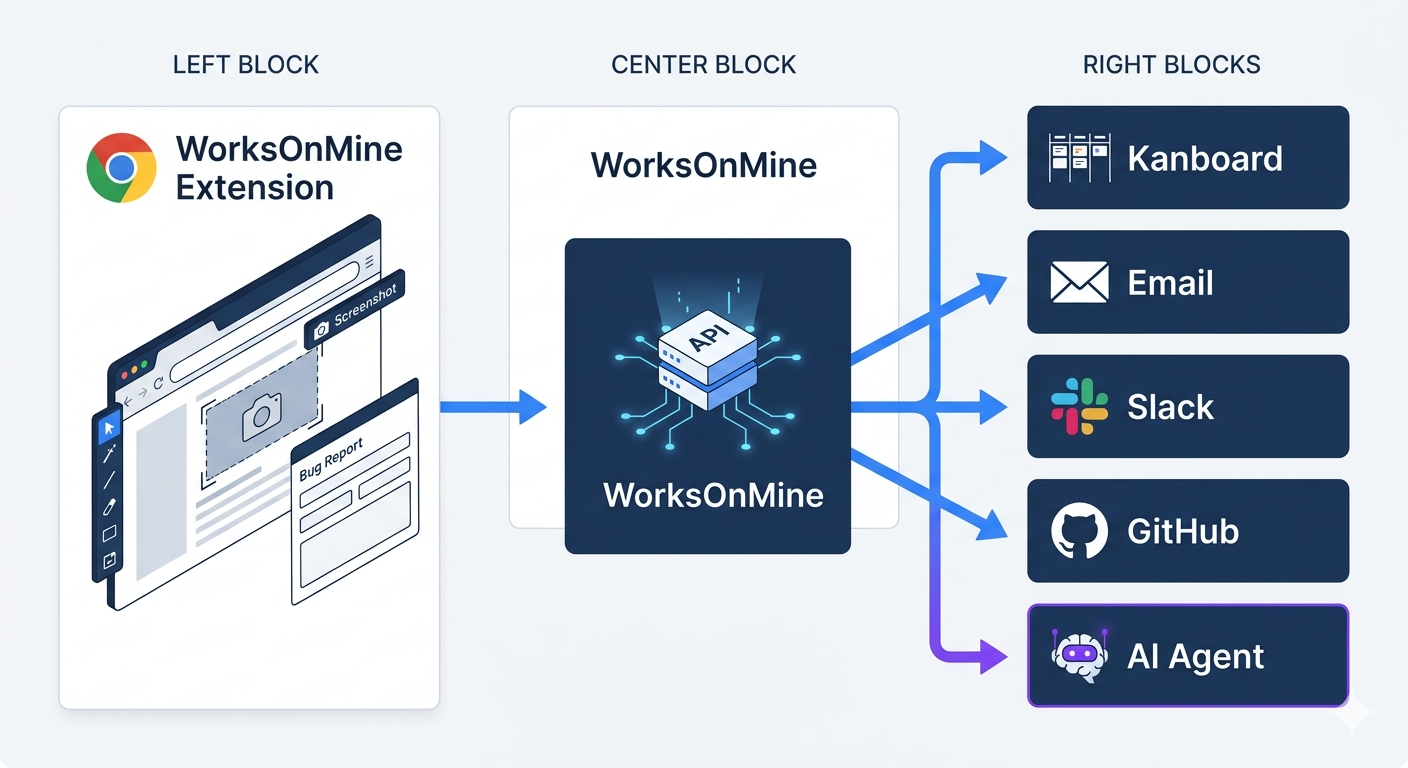
WorksOnMine flow diagram — browser extension WorksOnMine flow diagram — mobile app WorksOnMine flow diagram — AI agent
🐛

Bug reporting

  1. 1. You see a bug on the page
  2. 2. Click "Report" in the browser extension
  3. 3. Type a description — the rest is collected automatically
  4. 4. Developer gets full context immediately
  5. 5. Fix in 15 minutes, not 3 hours

Pre-deployment testing

  1. 1. PM creates a test scenario (steps)
  2. 2. Testers go through each step: Pass / Fail
  3. 3. PM sees live results dashboard
  4. 4. Deployment decision based on data
  5. 5. Zero surprises in production
💭

Ideas on the go

  1. 1. Idea in the car → record by voice
  2. 2. Inspiration online → click in extension
  3. 3. Photo with GPS → mobile app
  4. 4. AI agent categorizes and sorts
  5. 5. No idea gets lost

Works on my machine? Not anymore.

Developer never asks twice

Every report includes screenshot, URL, console logs and HTTP requests. Developer has everything from the start.

No more "can't reproduce"

Automatic technical context in every report eliminates vague bug submissions and speeds up fixes.

Scale your QA team without limits

Invite testers without accounts. They sign in via invite link and start reporting immediately.

Your stack, your tools

Integrates with Jira, Kanboard, GitHub, Slack and ClickUp. Open API for custom integrations.

Trusted by

Teams that use WorksOnMine to collect feedback and run QA tests.

I want to try WorksOnMine

Leave your details and we'll get back to you with beta access. We test with selected teams — briefly describe your project or team.

We'll respond within 24 hours